
There are two ways to add a financial account as an ACH payment source. Once it is added, the account can be used for receiving or making payments on Happy Mango. To find out whether your account has already been added on Happy Mango as an ACH payment source, visit the "ACH Payment Source" tab on the Accounts page.
1. You can enable an existing financial account for payments.
You can enable a financial accounts on "My Financial Accounts" tab for payments by clicking on the "Use for Payment " link as shown below. 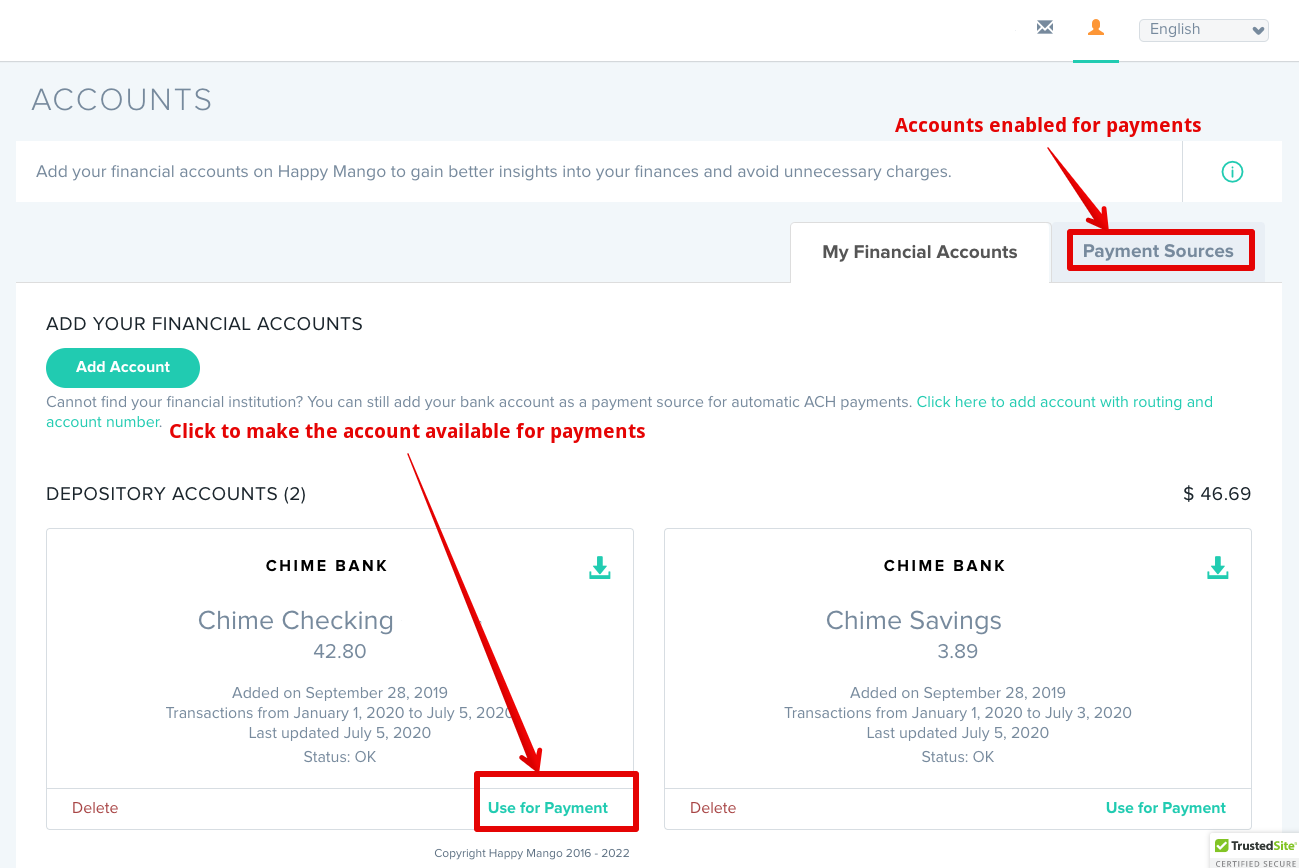
Once this is done, you will find this account on the Payment Sources page. You can find more information about this account as a payment source on this tab. 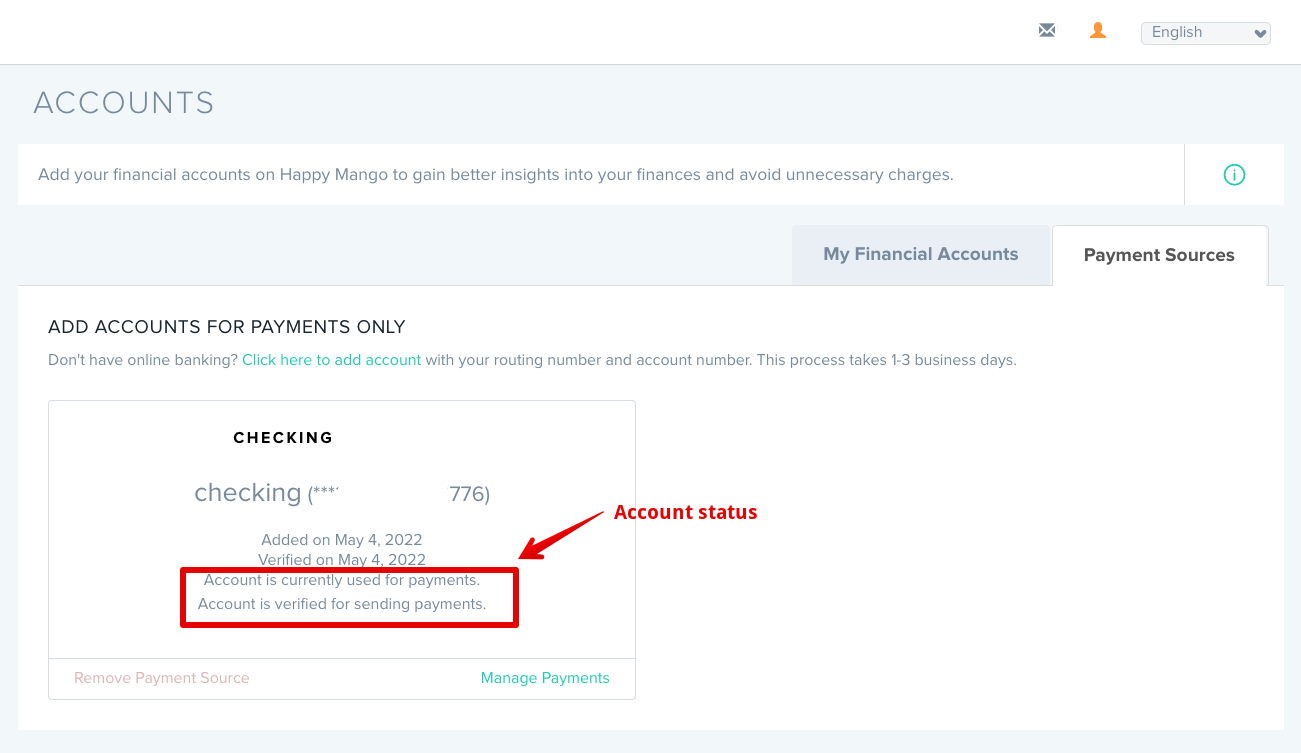
2. You can add Account using routing and account number
In the rare cases, when you do not have online banking or your account cannot be added through online banking, you can add your account by inputting the routing and account number. This process involves micro deposit verification, which takes up to 3 business days to complete. Accounts added this way can be used only for payment purposes and cannot be used for information purposes. 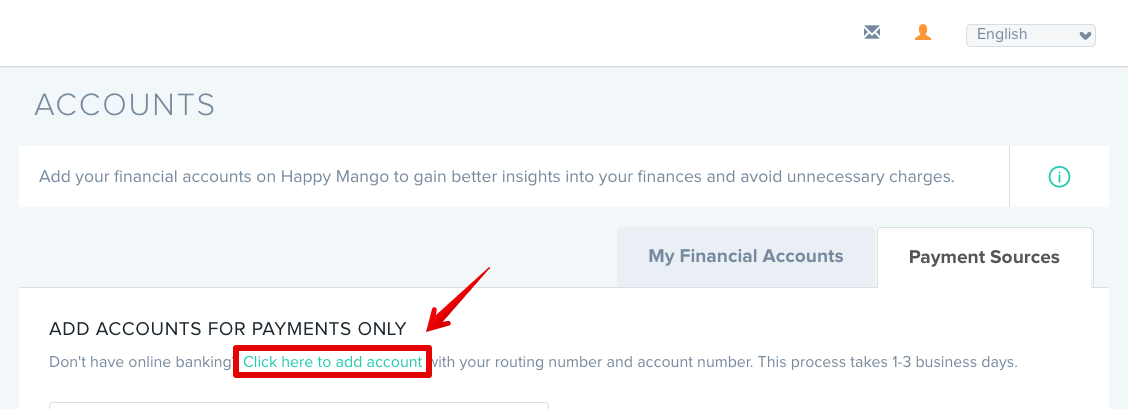
After clicking on the above link or button, you will see the pop-up window below. 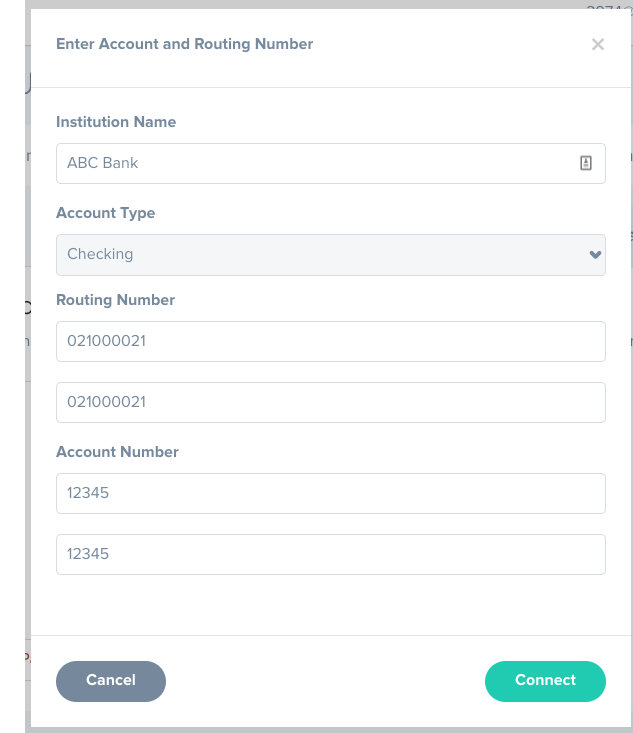
Once you have entered the account information, micro deposits will be used to verify your account. Only verified accounts can be used for sending payments.
Click here for an article on verifying accounts with micro deposits.
Comments
0 comments
Please sign in to leave a comment.